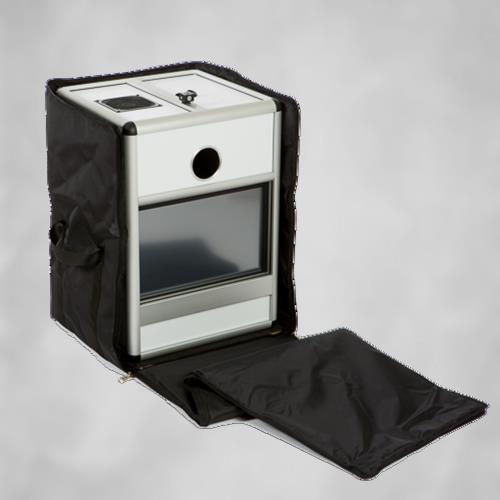

Create professional employee photos automatically in Bramsche
Reading time approx. 4 minutes.
You can find the latest and most reader-friendly version of the site here.<-- please CLICK!
Would you like to keep your supply of employee photos for one of the following areas up to date?
- Passport photos for travel planning
- ActiveDirectory
- Time cards
- Employee IDs
- Intranet
- Outlook
- Internet
- the CRM
- Exchange
Then there is a photo box from Photo Booth Deluxe worth a moment of your time.
The mission goal
The employees in your company have the option of photographing and/or updating their own employee photo at a fixed location or at a periodically changing location (e.g. in the casino or the company canteen or HR department).
It is important that this takes place in the form of a self-service process and that additional staff are not needed on site.
You give your staff the option to always identify themselves to 100% with their personal employee photo.
The personal photos are automatically optimized to the optimal format, freed from disturbing elements in the background and optionally saved in a number of dimensions and aspect ratios.
Our proposed solution
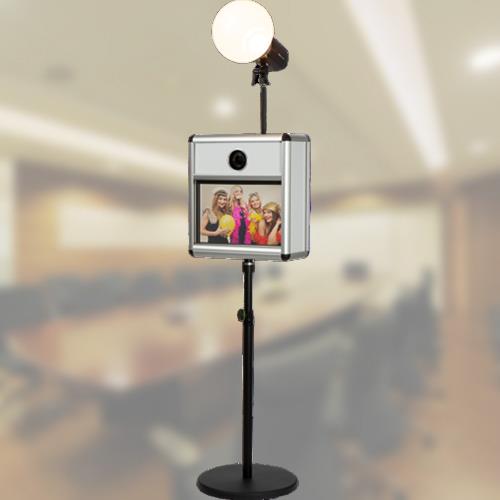
You position a photo box optimized for employee photos in your company (e.g. in the HR department, at the ID card office or at the reception in a relaxed corner.
The space requirement is approx. 1.5m x 1m.
There, the employees will sit down in front of the photo box and read the instructions for the necessary steps on the display, just like with the photo booth.
The screen serves as a touch screen at the same time as an input terminal for the necessary data, e.g. B. Employee identifier, name, surname and/or date of birth.
Alternatively, the photo box can also be configured so that the data can be read directly from the employee ID card. The data collected in this way then becomes part of the file name of the employee photo taken.
Optionally, a disclaimer screen with a release option for internal / external use of the image can also be set up.
After the employee picture has been taken, the background of the picture can be automatically exchanged for one or various backgrounds specified by you. The head is also located for each photo, scaled to a specified size and positioned in a specified position on the final image.
The photo is saved in a size and aspect ratio specified by you (eg square for Active Directory). A comparison is made between the photographed image and the internal employee data record via the file name. We would be happy to help your IT department clarify the import interface.
A biometric check and an adaptation to a biometric ID photo is available as an optional extension.
The image output can take place simultaneously in different dimensions.
So you always have the ideal photo for
Facebook, the CRM system, Instagram, WhatsApp & Co, Outlook, Twitter, XING, LinkedIn
etc. are available.
Logically, each file can also be “personalized” with company logos and/or the name and position of the employee will appear directly on the image.
ADVANTAGES of automatic photo processes for professional employee photos
- Employee photos according to your corporate design
- RAW data is also saved as required
- optimized throughput speed if many employees are to be photographed in a short time interval
- Extra data acquisition before or during the recording sequence
- even the name of the employee can be automatically inserted into the picture without manual rework.
- automatic branding with your motif and logo.
- the employee photo box is noticeably cheaper than a booked portrait photographer
- minimal labor
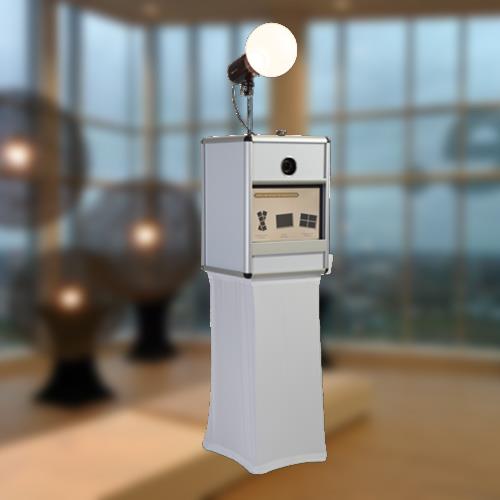
How does the staff get their photo?
So that not only the CRM system or the Active Directory can enjoy the new photos, there are three different ways for the employee to get his picture digitally.
- Download from an online gallery
At the end of the sequence, a code is displayed or printed on the screen, which the employee can use to copy down his original recording and the various formats for the various target systems. - Entry of the email address at the end of the photo sequence.
The captured photo is then sent to the employee's mailbox. - Download via QR code from an offline gallery
The photobox provides its own WLAN which the employee has to dial into.
At the end of the sequence, a QR code is displayed on the screen. This QR code leads to an offline gallery where employees can download their photos. In contrast to the online gallery, this way only works in the immediate vicinity of the photo box.
Other deployment options
In order to get the most out of your investment, you have the following options:
- Pictures of groups of visitors, e.g. after a tour of the company
- Use at trade fairs to issue personalized “flyers”
- Use at employee parties (summer party, Christmas party ...}
- Photo attraction at customer events & meetings
- Employee photos (as already explained)
- Production of biometric passport photos and ID photos
The need for investment
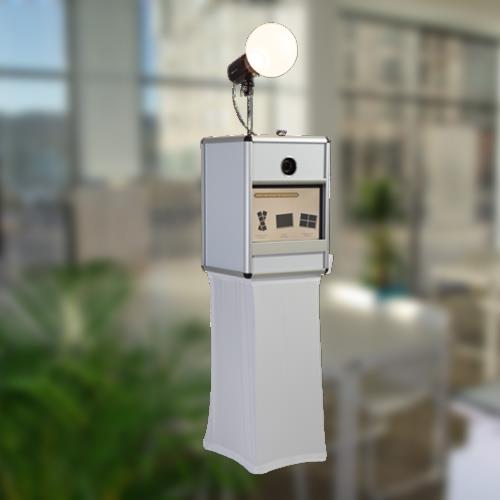
The price for purchasing a photo box perfected in this way starts at around €4,400 plus VAT, making it worthwhile for companies with around 100 or more employees.
Of course, there is also the possibility to try out the system beforehand on a rental basis for € 650 + € 1 / employee photo plus VAT per week.
1/2 of the rent will be credited to the later purchase if the system is purchased immediately.
references
Since the system was introduced in 2019, two systems have been permanently installed in this country and in Zurich.
Both at WWZ AG in Zurich and at Haufe Lexware, the system is very well received by employees.
If we are able to arouse your interest in automated employee photos, call 09331 8021990 or send an email to office@photobooth-deluxe.de.